
Second Life chatbot
A multimodal chatbot designed to support a university tech clinic service
00
Problem Overview
We were tasked with designing a chatbot for a service called Second Life Technologies, a one-stop-shop tech clinic at the University of Melbourne where students can bring their e-waste to be assessed and then refurbished, resold, or recycled depending on condition. The primary goal of our chatbot was to help students use the Second Life Technologies service. A secondary goal was to raise awareness around e-waste, addressing a key insight from our research: many students are unsure what e-waste includes or how to dispose of it responsibly.
Project Overview
Using Voiceflow, we designed a multimodal chatbot integrated across three key touchpoints: appointment booking, e-waste evaluation and FAQs, and marketplace search. Each interaction was tailored to guide students through using the service while subtly educating them about e-waste, making the experience both practical and awareness-building.
As part of a larger service design project, we created a multimodal chatbot to support Second Life Technologies: a tech clinic for students at the University of Melbourne.
The chatbot helps users book appointments, learn about e-waste, and navigate a refurbished tech marketplace — making the service more accessible, informative, and easy to use.
Final product
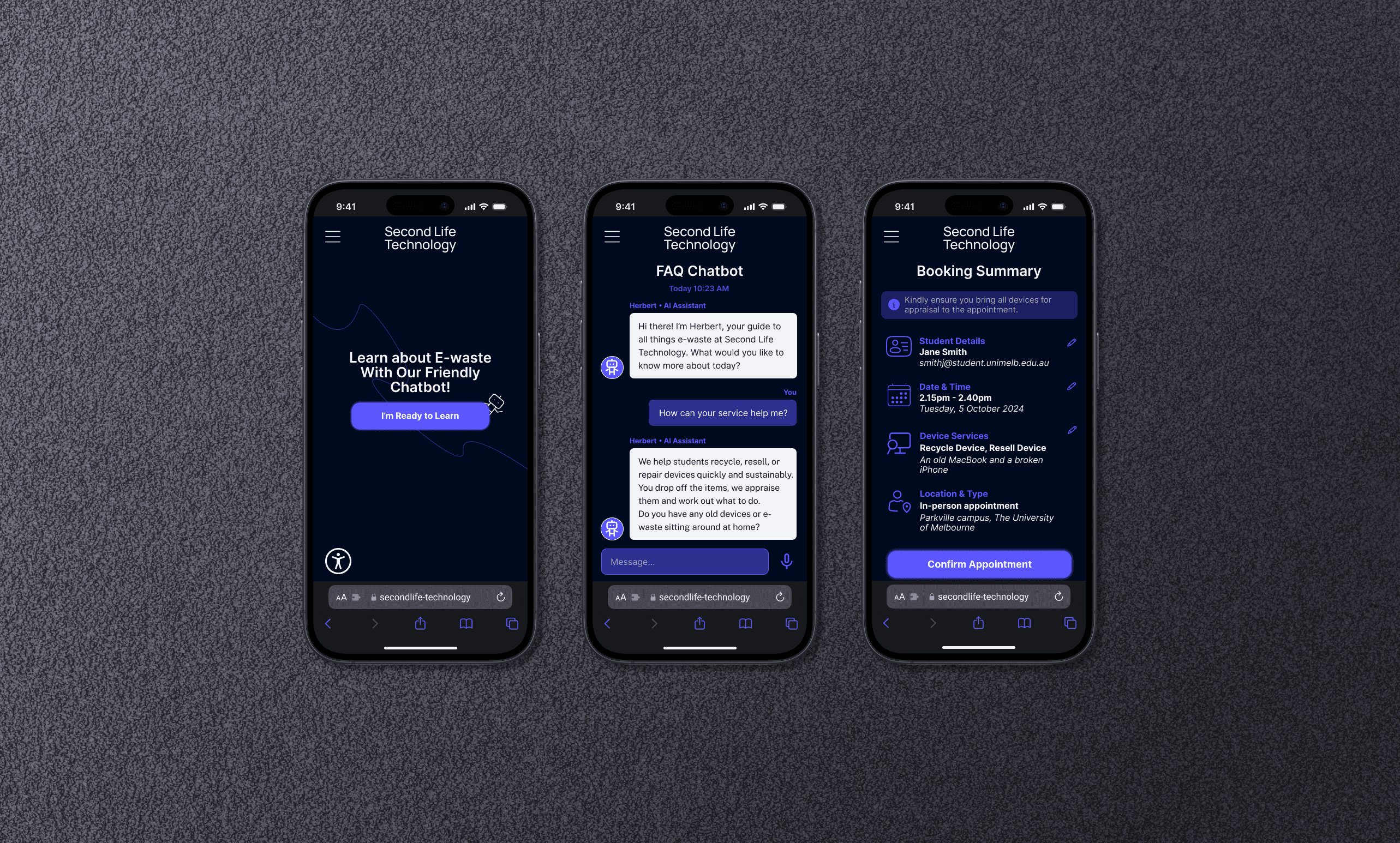
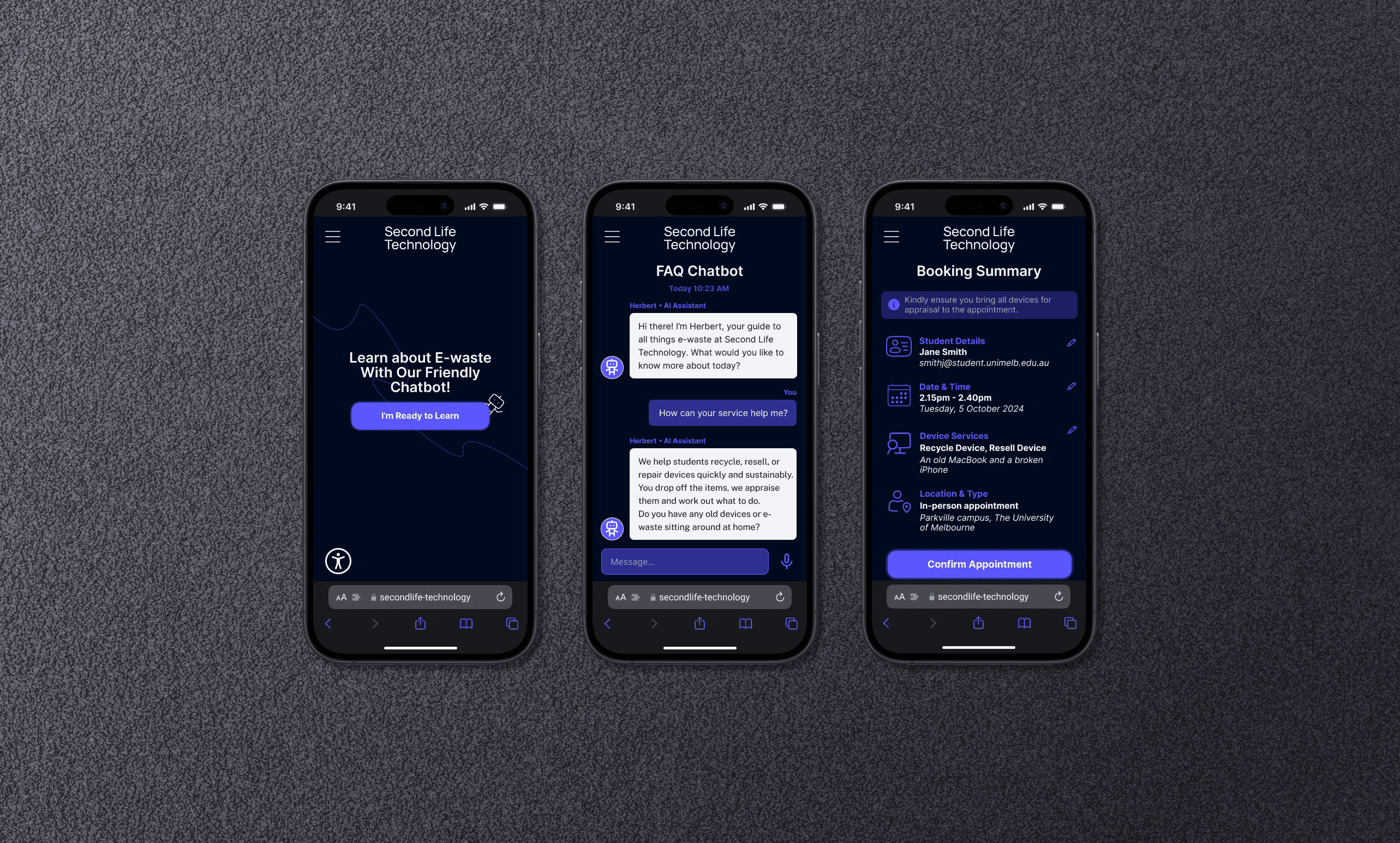
The final chatbot design includes three integrated touchpoints: a streamlined appointment booking assistant, an FAQ and e-waste evaluation bot, and a marketplace guide that helps students find refurbished devices. Each flow is designed to be accessible, informative, and approachable, making it easier for students to use the service while increasing awareness and understanding of e-waste.
Built in Voiceflow, the prototype is made up of connected blocks (LLM agents, multi-selects, decision logic, and hand-offs between flows). With agents, we set up intent handling to allow the bot to respond to natural language queries in predefined ways, and added fallback paths to recover when users enter unexpected inputs.
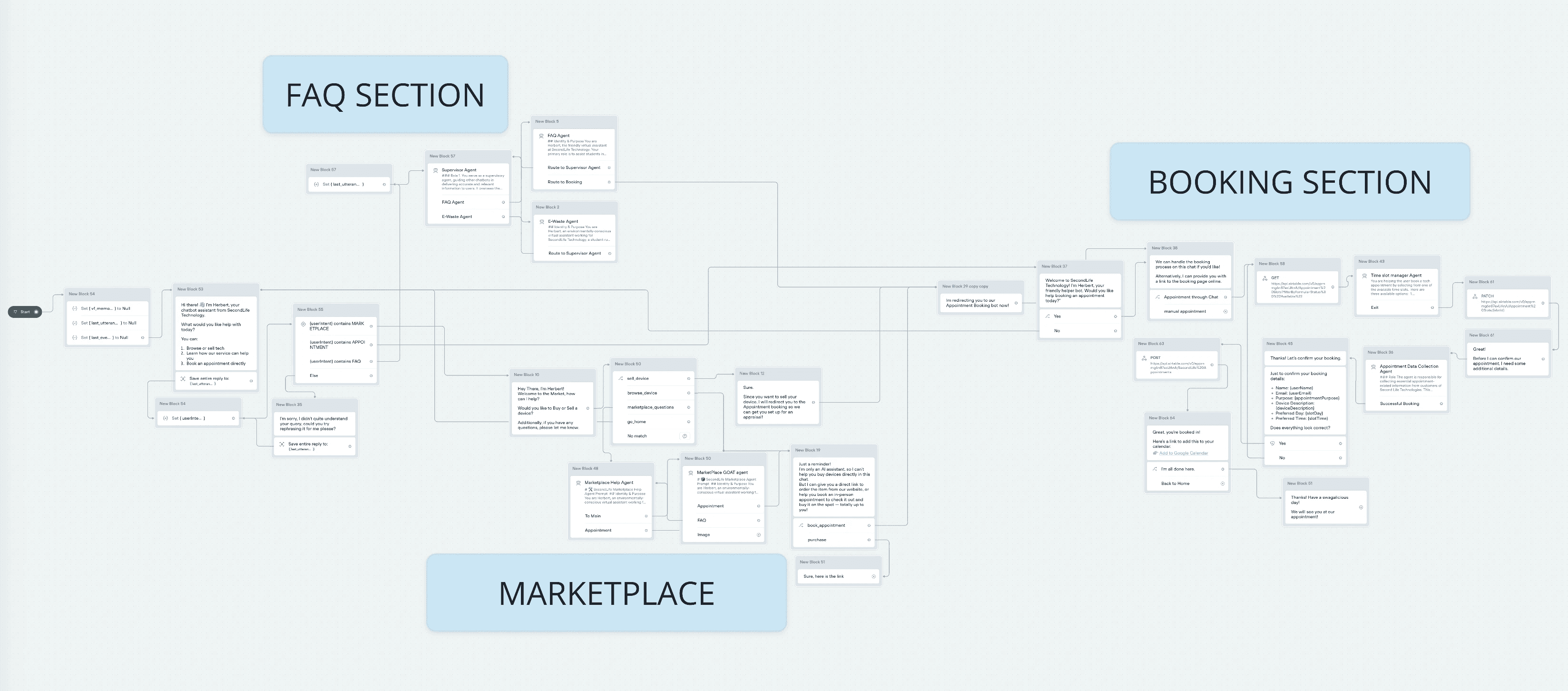
The final implementation flow in Voiceflow
Conversation design
Our process began with ideation on where a chatbot could be helpful to users the existing service. Once we had decided on the three touchpoints, we moved on to defining the personality of the chatbot, and conducted utterance pair brainstorming to guide the chatbot's potential output. Our final step was creating flowcharts to map out happy and unhappy conversation flows. These flowcharts went through many iterations, and we came back to them to tweak the flows as we began to test our working Voiceflow prototype.
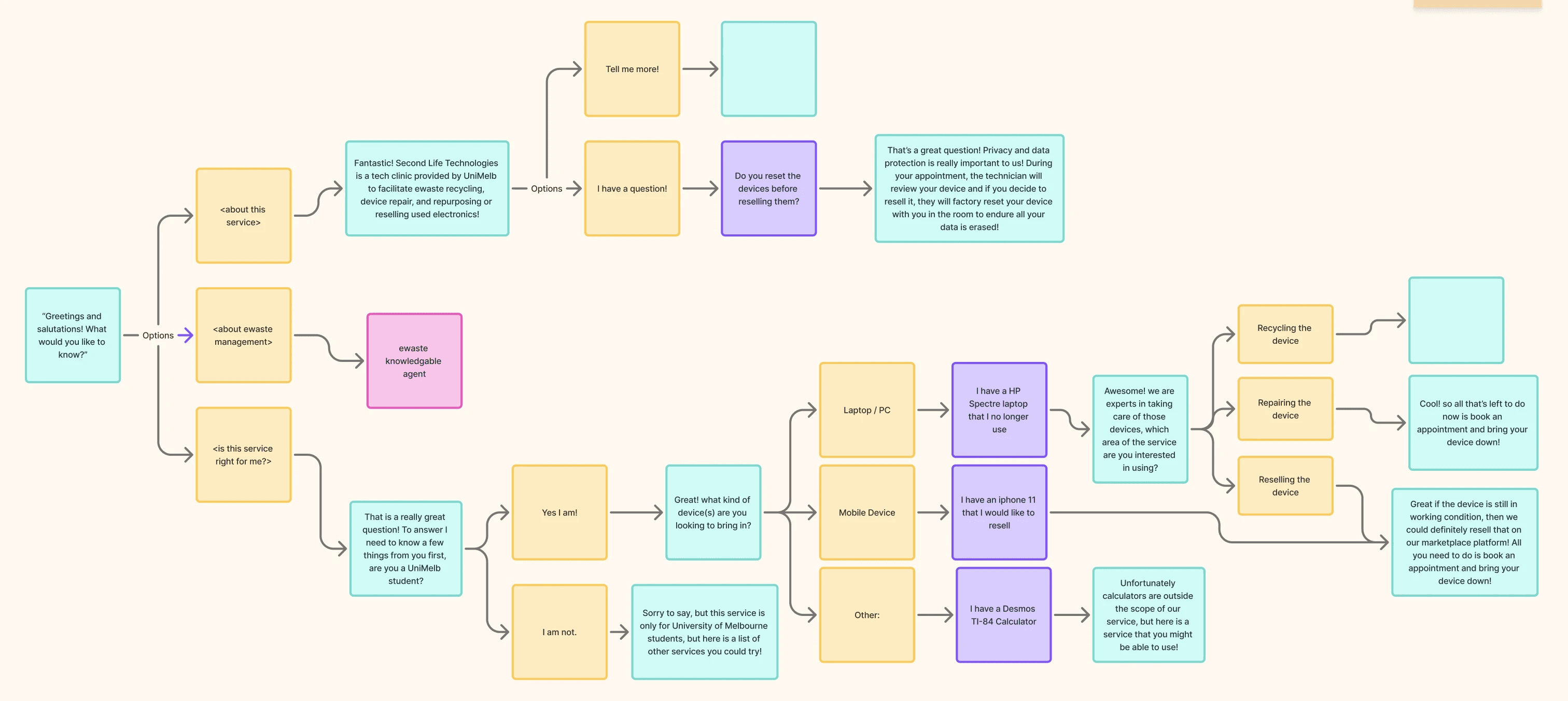
An early stage of the conversation planning flowchart.
User testing was broken up into 3 stages:
Phase #1: Initial impressions & insights
We tested with other students in workshops to get initial impressions on the overall chatbot design, and tested ourselves to find and fix bugs.
Phase #2: Testing edge cases
We compiled a list of edge cases and tested the chatbot against them.
Phase #3: Task-based testing
To get higher-level insights into user behavior and points of confusion, we conducted observations with users, walking through important tasks in each of the chatbot's three touch points.
User testing insights
Key Finding
Visual representation was important
In testing, users wished they had some visual representation of the products they were recommended. We realized that our text-based approach was flawed, and users' confidence in the service and the products they were purchasing was increased by seeing images of the product. To add a visual element, we implemented an image block using Airtable.
Key Finding
Informational chatbot touchpoint lacked direction and purpose
User testing revealed that the informational chatbot touchpoint left users confused as to its purpose. Users felt that conversations did not have direction, and conversations died easily, putting a burden on the user. To fix this, we had to restructure this touchpoint to create a more driven flow. We designed a flow that guides users to discover what e-waste they have and get personalized feedback on how the service can help them.
A Challenge
Long message length throughout
We struggled with overly long message lengths throughout the chatbot development in Voiceflow.
Our steps to solve this involved setting limits on the number of tokens per message, setting word limits in our LLM prompts, and structuring the chatbot to break things up into multiple, shorter messages and ask follow-up questions.